AnyStorage-Windows 系统在非双活场景下配置操作系统自带多路径最佳实践
关键字
适用产品
- AnyStorage S2600 6.0.x
- AnyStorage AS5000 6.0.x
- AnyStorage AS6000 6.0.x
- AnyStorage AF5000 6.0.x
- AnyStorage AS5000 7.0.x
目的
解决方案
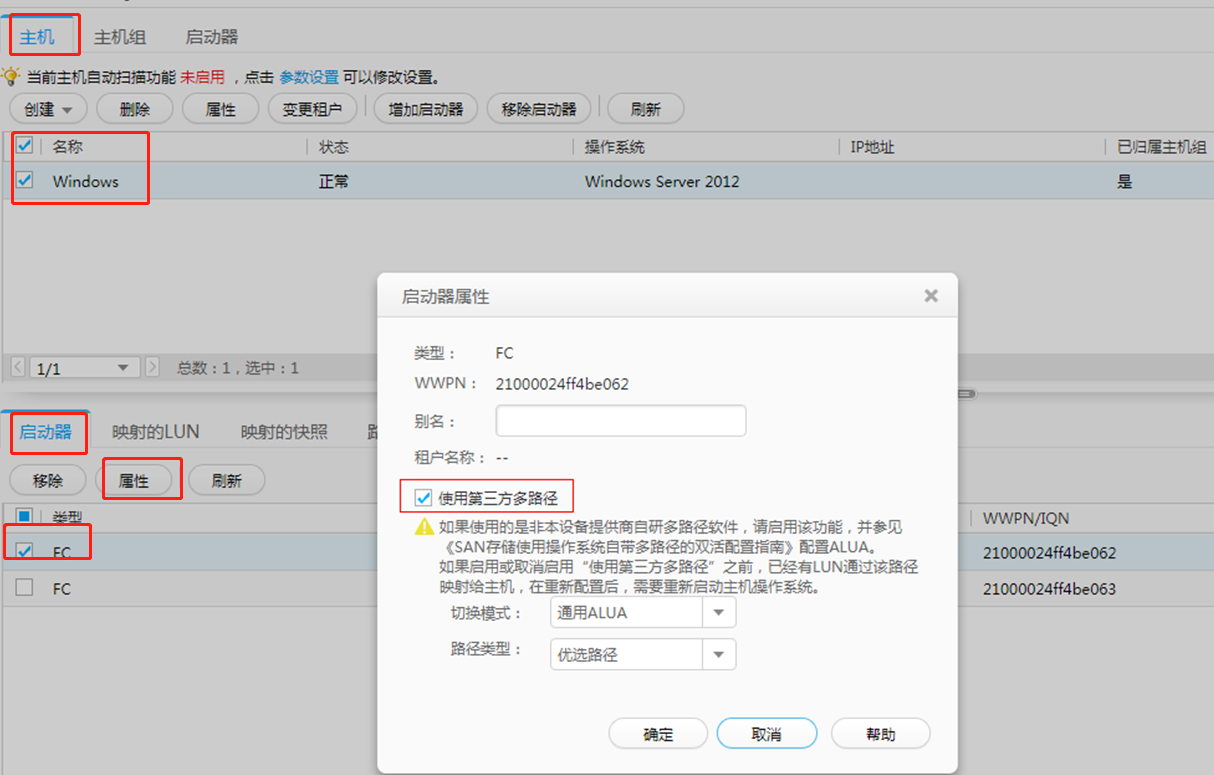
说明:其中,“切换模式”及“路径类型”等启动器参数需要根据实际业务场景决定,可参考下表中推荐的配置:
|
操作系统 |
存储系统 | |
|
V300R003C20 以前版本 |
V300R003C20SPC200 及后续版本V300R006C00SPC100 及后续版本 | |
|
Windows Server 2003 |
关闭ALUA |
关闭ALUA |
|
Windows Server 2003 R2 |
关闭ALUA |
关闭ALUA |
|
Windows Server 2008 |
关闭ALUA |
关闭ALUA |
|
Windows Server 2008 R2 |
关闭ALUA |
开启ALUA(通用模式) |
|
Windows Server 2012 |
关闭ALUA |
开启ALUA(通用模式) |
|
Windows Server 2012 R2 |
关闭ALUA |
开启ALUA(通用模式) |
|
Windows Server 2016 |
关闭ALUA |
开启ALUA(通用模式) |
|
Windows Server 2019 |
关闭ALUA |
开启ALUA(通用模式) |
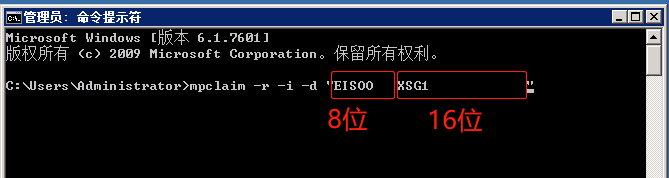
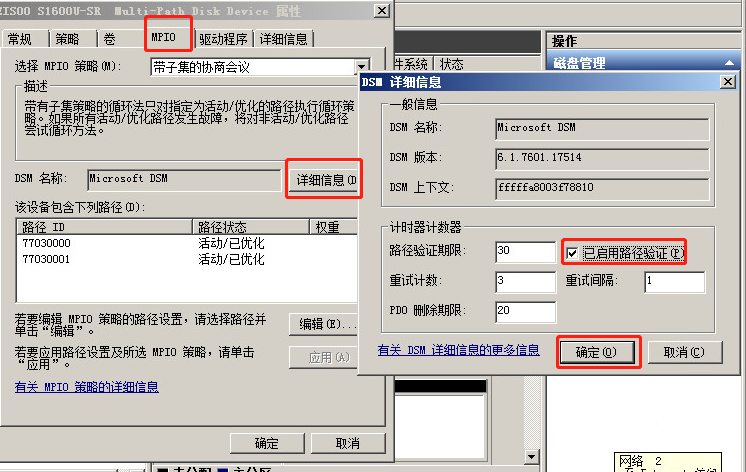
2. 在磁盘属性界面,选择 MPIO ,配置选择 MPIO 策略,不同情况下默认的策略是不同的,建议使用默认MPIO策略。
|
操作系统 |
存储系统 |
默认MPIO策略 |
|
Windows Server 2008 |
开启ALUA |
Round Robin With Subset |
|
关闭ALUA |
Fail over only | |
|
Windows Server 2008 R2 |
开启ALUA |
Round Robin With Subset |
|
关闭ALUA |
Round Robin | |
|
Windows Server 2012 |
开启ALUA |
Round Robin With Subset |
|
关闭ALUA |
Round Robin | |
|
Windows Server 2012 R2 |
开启ALUA |
Round Robin With Subset |
|
关闭ALUA |
Round Robin | |
|
Windows Server 2016 |
开启ALUA |
Round Robin With Subset |
|
关闭ALUA |
Round Robin | |
|
Windows Server 2019 |
开启ALUA |
Round Robin With Subset |
|
关闭ALUA |
Round Robin |